
CorelDRAW Integration
What is CorelDRAW Integration?
AI Sublimation Software's CorelDRAW Integration enables seamless variable data printing by creating organized groups of design elements based on size categories. This powerful integration automates the process of grouping jerseys, collars, and other garment components for efficient printing workflows.
Grouping Workflow Process
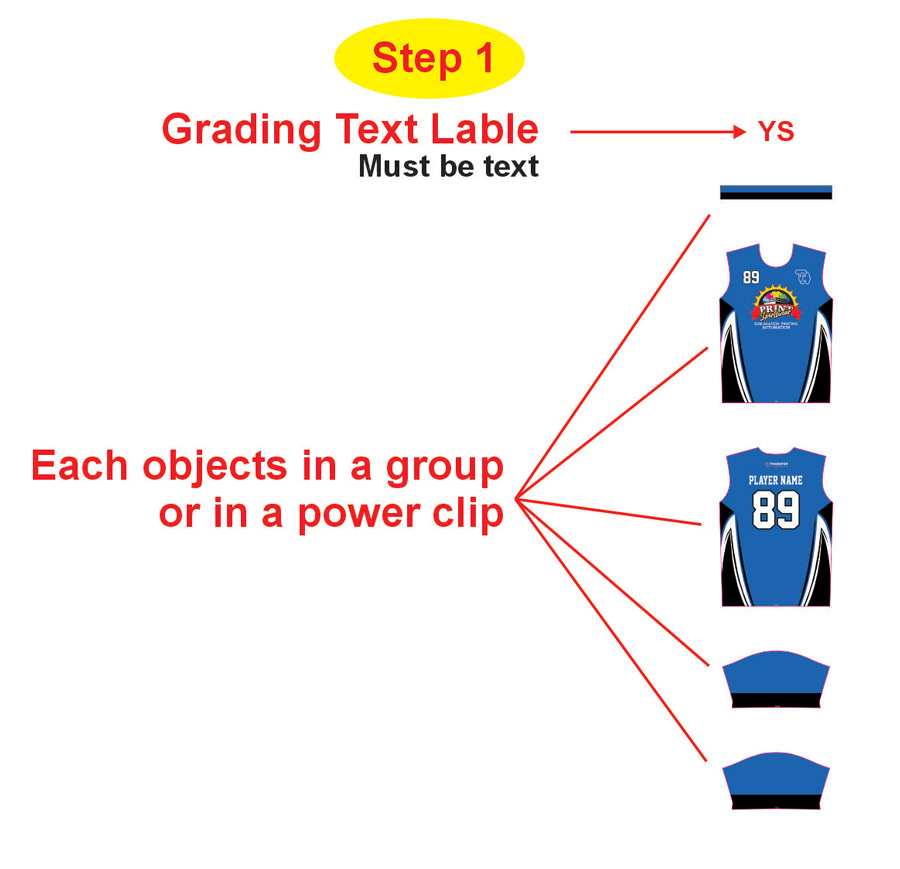
Step 1: Grading Text Label Setup
The process begins with setting up your grading text labels:
- Must be Text: Each object in a group must be a text object
- Size Categories: YS (Youth Small), YM (Youth Medium), YL (Youth Large), YXL (Youth Extra Large) etc.
- Design Elements: Jersey front, jersey back, collar, and other components
- Group or Power Clip: All related objects must be in a group or power clip
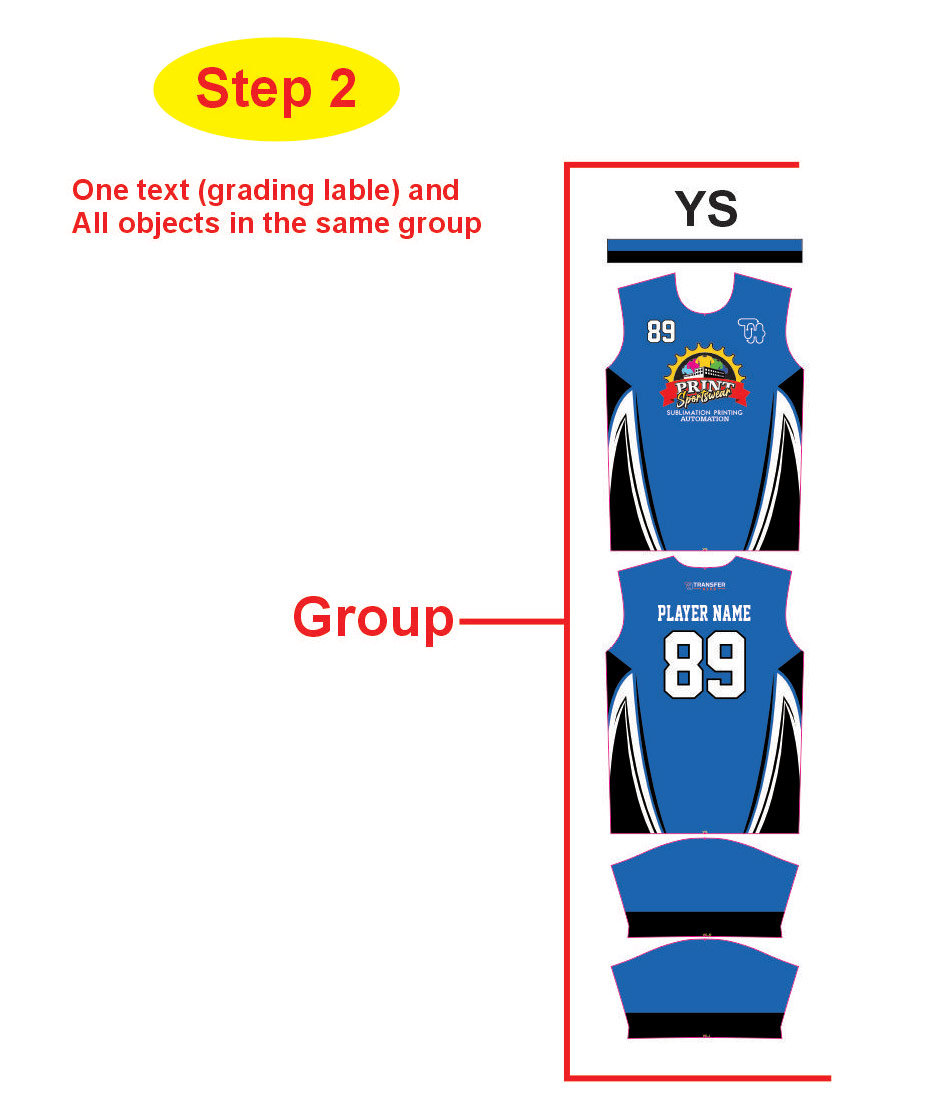
Step 2: Size-Based Grouping
Create groups based on size:
- YS Group: Contains all Youth Small elements (jersey + collar)
- YM Group: Contains all Youth Medium elements
- YL Group: Contains all Youth Large elements
- YXL Group: Contains all Youth Extra Large elements
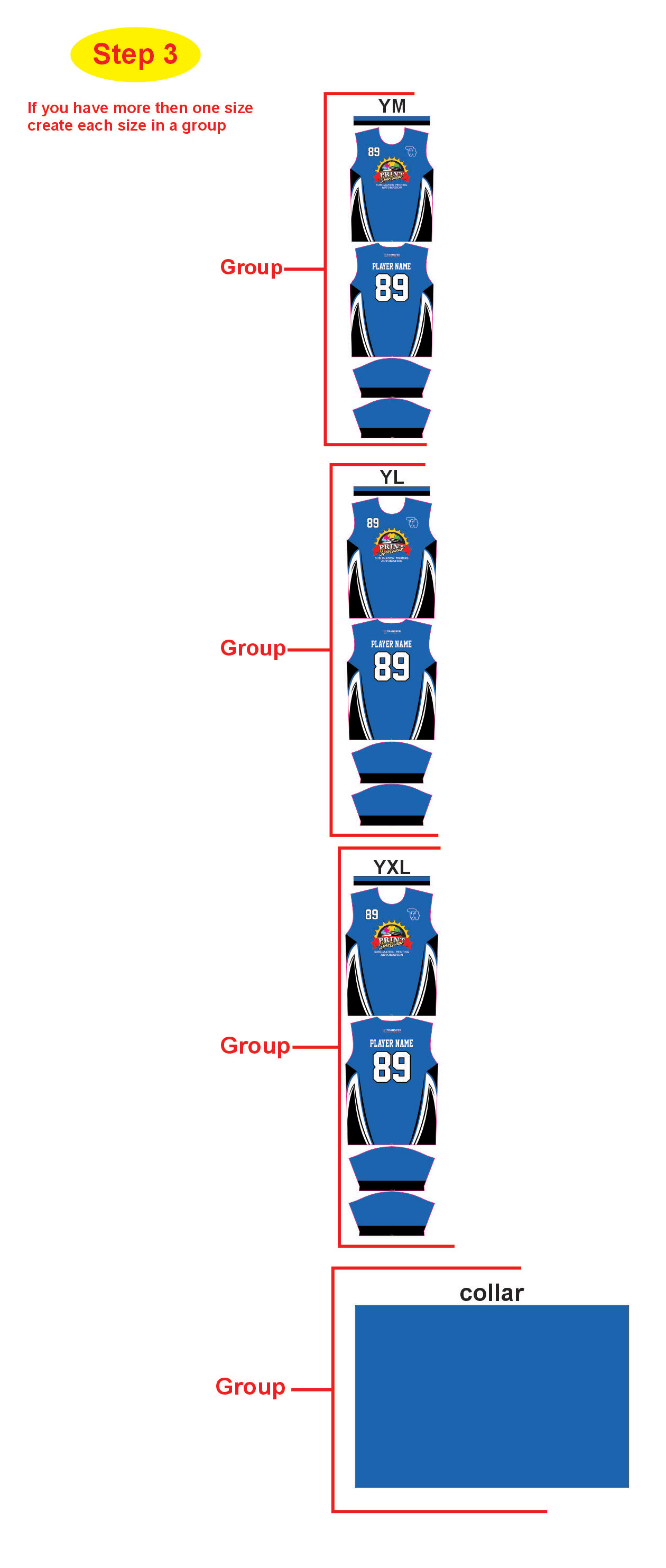
Step 3: Multiple Size Groups
When you have more than one size:
- Create Stack Size in a Group: Multiple sizes are organized together
- Size Separation: Each size category maintains its own group
- Component Alignment: Jersey and collar components stay aligned within each size
Visual Workflow Example
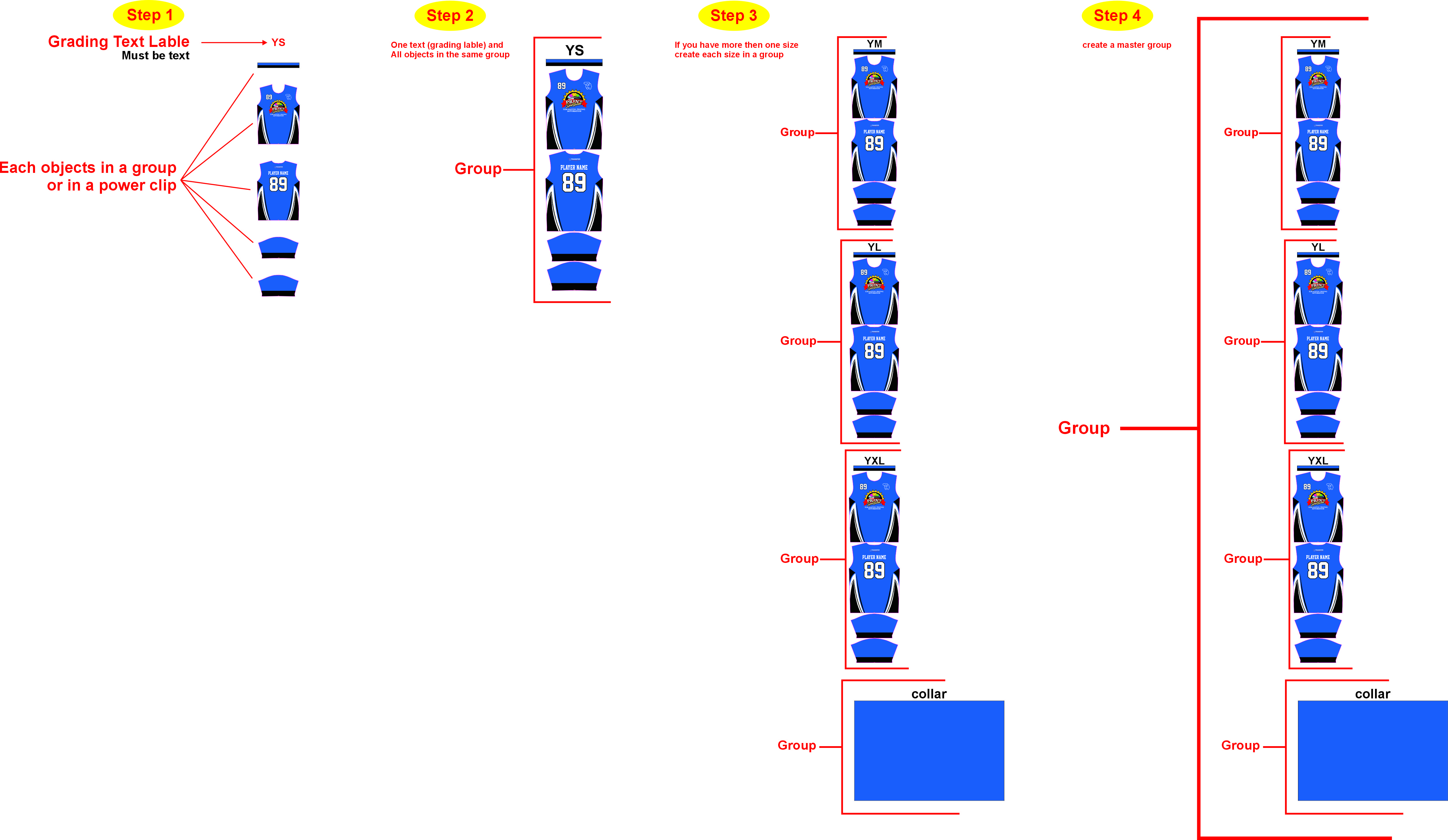
Visual guide showing the complete 4-step grouping workflow in CorelDRAW